





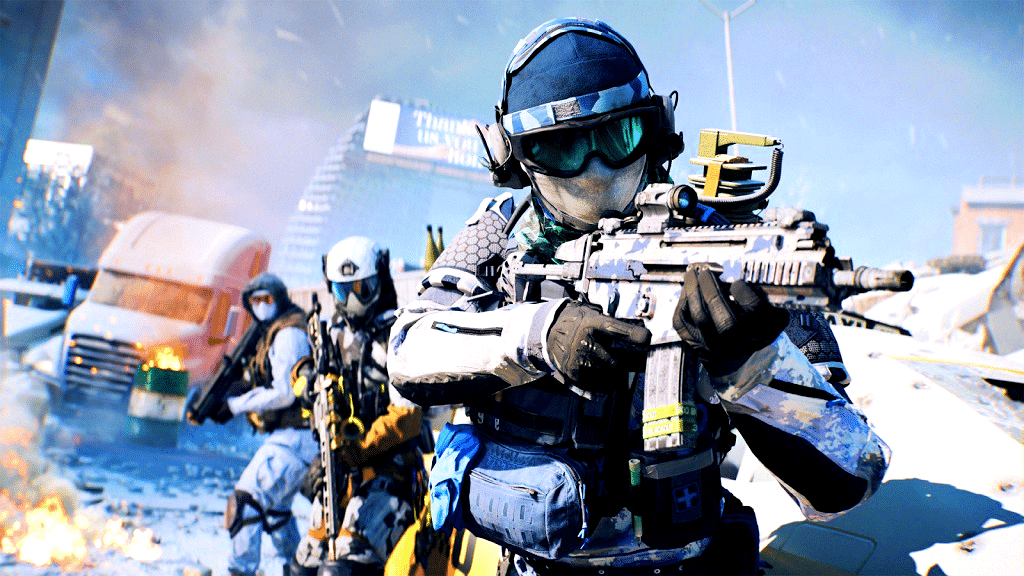
The new winter event in Battlefield 6 starts on December 9, and the Winter Offensive update also includes many important improvements.
The next big patch for Battlefield 6 is now live. We have all the important information you need about downloading update 1.1.3.0, the new in-game event, and the most important improvements for the multiplayer shooter.
- Download information
- New content
- Important changes
- Patch notes
All the information about the download
You can already download the update on all platforms. The download size varies depending on the platform:
- PC: approx. 12.3 GB
- PS5: approx. 5.6 GB
- Xbox Series S: approx. 9 GB
- Xbox Series X: approx. 12 GB
While the update itself is already live at the time of publication of this article, the event called Winter Offensive will be unlocked on December 9, 2025, at 1:00 p.m..
Winter Offensive Content
The event brings a new winter version of the Empire State map to the game. On this map, you can play the seasonal mode Ice Lock. This event mode is available in Domination, Conquest, and Gauntlet and has a special freeze mechanic.
There is also a new melee weapon, the Ice Climbing Axe, which you can unlock via a new 11-level bonus path in the Battle Pass.
Other rewards include event cosmetics and XP boosters.
During the event period, the winter version of Empire State can also be used for portal experiences. Incidentally, Winter Offensive does not currently have an official end date.
Important Changes
Update 1.1.3.0 includes several improvements that fans have been requesting for a long time:
- Better visibility of soldiers (especially in dark corners)
- Audio improvements (footsteps and vehicle noises should be more clearly identifiable)
- Rush and Breakthrough are getting a major overhaul in terms of vehicle availability and flag point layout.
- Balancing updates for tanks
- Problems with weapon dispersion have been fixed
The list of bug fixes and improvements in the new update goes on, of course. You can find all the changes in the English patch notes on page 2 of the article. Next, the developers want to tackle the netcode. Players often report poor hit registration, which means that they are hit even though they are already in cover, for example.
Battlefield 6: Update 1.1.3.0 – Patch Notes
Table of Contents
Important updates for 1.1.3.0
- Improved hit detection in situations that were previously considered unreliable, including quick target adjustments, shots before completing the zoom process, and close combat with many players. These updates make bullet impacts more predictable and real-time damage feedback easier to recognize.
- Improved visibility of soldiers at close range through stronger character highlighting and improved animations in prone position, making soldiers easier to spot in low-contrast or visually cluttered areas.
- Refined weapon handling for more consistent accuracy, addressing issues with first-shot behavior, recoil interaction, and attachment alignment, making weapons feel more stable and predictable during firefights.
- Improved reliability for several key gadgets, including updates to the LWCMS portable mortar, supply bag, smoke cover, and traversing tools to ensure consistent behavior and clearer feedback.
- Improved clarity and interaction with vehicles, fixing issues related to damage zones, HUD overlaps, seat sights, and camera behavior to make vehicle gameplay more stable for both drivers and passengers.
- Updated Breakthrough and Rush layouts on several maps to improve the balance between attackers and defenders, smooth sector flow, and adjust vehicle distribution based on match result data and player feedback.
- Comprehensive audio improvements for greater clarity in combat, including clearer footsteps and movement cues, more reliable feedback for armor penetration, and optimization of several key in-game sounds.
IMPROVEMENTS
AUDIO
With this update, we’ve made a number of audio improvements, including a specific optimization of footsteps to make movement clearer, easier to locate, and more understandable at different distances.
We have also continued to address performance and memory issues that can cause sounds such as footsteps or vehicle noises to drop out or fail to play, especially in large Battle Royale matches. To prevent this as we add more audio content to the game, we have adjusted the memory priorities for most sounds in the game and optimized the loading of some larger audio assets. In practice, this means that important combat, movement, and vehicle sounds should play more consistently, even under heavy load.
These changes are part of our ongoing efforts to improve the overall stability of the soundscape. While this is not a complete overhaul and there may still be edge cases depending on hardware and match conditions, it is a big step toward more reliable and predictable sounds throughout the game.
CHANGE LOG
PLAYERS:
- Fixed a clipping issue when dragging a soldier on a sloped surface in a prone position.
- Fixed a clipping issue with characters’ shoulders when jumping.
- Fixed a rare issue where fall damage was not applied immediately after respawning.
- Fixed jumping and aggressive camera movements when taking down prone enemies from certain angles.
- Fixed an issue where players could use jumps to avoid being run over by a high-speed enemy vehicle.
- Fixed an issue where controller haptic feedback would continue indefinitely if reloading was interrupted by switching to another weapon or gadget.
- Fixed an issue that caused hit detection to fail when making extremely fast aim adjustments while firing. We continue to investigate other edge cases and review player reports related to hit detection.
- Fixed an issue that caused soldiers’ legs to rotate incorrectly with their bodies when falling in a prone position.
- Fixed an issue that caused the soldier’s movement to feel slow when walking on uneven terrain.
- Fixed an issue that caused the character’s hands to appear misaligned when jumping through windows.
- Fixed an issue that caused the soldier’s hands to disappear when jumping while charging a defibrillator.
- Fixed an issue that caused reviving after death during a fall to trigger fall damage on the player’s next jump.
- Fixed an issue that caused the player to be able to continue controlling their soldier after death in water.
- Fixed an issue that could cause the player to get stuck in a crouched position when stepping into water.
- Fixed an issue that could cause soldiers in water to not take melee damage.
- Fixed an issue that could cause soldiers sitting in unprotected vehicle seats to not take melee damage.
- Fixed an issue that made it difficult to cross some stairs, especially when moving slowly.
- Fixed an issue where climbing down ladders with a grenade would cause incorrect animations.
- Fixed an issue where grenade animations would display incorrectly in first-person view when observing another player.
- Fixed an issue where melee damage would prevent the victim from performing melee attacks.
- Fixed an issue where hands would get stuck in ladders in first-person view.
- Fixed an issue where interrupting a pull and revive would not cancel the revive progress as expected.
- Fixed an issue where getting in and out of vehicles could cause delayed hit detection for soldiers on foot.
- Fixed an issue where players did not take fall damage when landing on a vehicle.
- Fixed an issue where melee animations would not play correctly when attacking while jumping over medium-height obstacles.
- Fixed an issue where players would appear to attack with a ladder when performing melee attacks and returning to a storm ladder.
- Fixed an issue where zooming while aiming during a collision with a wall while sprinting would affect the player’s aim.
- Fixed an issue where soldier models would glow incorrectly in front of the thermobaric visual effect when illuminated by a flashlight.
- Fixed an issue where the death camera could appear below the map when dying in a vehicle.
- Fixed an issue where the melee weapon was briefly displayed in an incorrect stance when holding the M87A1 shotgun.
- Fixed an issue where first-person movement animations on stairs would start with a delay.
- Fixed an issue where clipping issues would occur with the HK433 in third-person view when using certain attachments on the lower rail.
- Improved animations for jumping and climbing over medium heights in first-person and third-person perspectives to allow for smoother transitions.
- Improved the reliability of hit detection when multiple players were in close proximity.
- Improved the interaction between recoil and aiming, resulting in more reliable accuracy when compensating for recoil.
- Improved the melee animation when attacking from a prone position.
- Responsiveness when moving at the beginning and end of drag and revive interactions has been improved.
- Soldiers’ animations when entering and exiting the prone position have been improved.
- The visibility of soldiers at close range has been improved by adjusting brightness at 0 meters with a higher minimum intensity.
- Fixed an animation issue where quickly equipping armor immediately after using a melee weapon could cause an unintended transition animation.
- Third-person animations while prone have been updated to improve clarity, reduce static poses, and increase soldier visibility.
VEHICLES:- Fixed an issue where heavy machine gun fire from some vehicles did not consistently damage soldiers.
- Fixed an issue where some vehicle seats were misclassified, causing the correct passenger crosshair to not appear when observing another player.
- Fixed an issue where the soldier compass could be displayed at the same time as the vehicle compass when sitting in certain gunner seats.
- Fixed issues with damage zones on armored vehicles that caused them to take more damage than intended in certain situations.
- Fixed the behavior of the quad bike spawn camera UI to ensure it displays correctly when deployed.
- Partially fixed an issue where vehicle audio output could fail during live gameplay due to suspected memory issues.
WEAPONS:
- Fixed a bug that could cause players to get stuck in the weapon inspection animation when entering a vehicle.
- Fixed a rare visual bug that could cause scopes to display incorrectly.
- Fixed a visual issue where the adjustable angle grip sat slightly higher on the weapon than intended.
- Fixed an issue that caused the first bullet fired during early zoom transitions with certain weapons and scopes to be less accurate than intended.
- Fixed an issue that sometimes prevented quick melee attacks from returning the player to their previous weapon after striking.
- Fixed an issue where some scopes unintentionally received a thermal or depth of field blur.
- Fixed an issue where target dummies in the shooting range would remain lying down after being hit.
- Fixed an issue where the effects of FMJ ammunition were incorrectly applied to other ammunition types.
- Fixed an issue where attached attachments were not always restored correctly when picking up another soldier’s equipment.
- Fixed an issue where the flashlight weapon attachment was misaligned at high FOV values when sprinting.
- Fixed a timing error that affected dummy targets at the shooting range.
- Increased the minimum time between shots for the Mini Scout by 100 ms to improve tempo and reduce irregularities during rapid fire.
- Recoil strength has been reduced, but recoil variation has been increased for the M250, NVO-228E, RPKM, SG 553R, and SOR-300SC. These weapons are now less effective at long range, with the SG 553R seeing the most noticeable adjustment.
- The cost of the 200-round magazines for the L110 and M123K has been reduced from 55 to 50, and the penalty for spread when moving while ADS has been removed.
- Haptic feedback when reloading weapons on PS5 controllers has been optimized.
- Melee behavior has been updated so that players equipped with a melee weapon can now choose between a takedown (F/RS) and a strike attack (Mouse 1/RT).
GADGETS:
- Fixed an issue where assault ladders did not allow for smooth crossing by increasing the maximum ramp angle from 45° to 52°. Players can now run up the ladder without switching to a climbing stance.
- Fixed an issue where gadgets that should have been hidden by occlusion were still visible through the geometry.
- Fixed an issue where aim indicators were displayed for Engineers without a launcher equipped with aim assist.
- Fixed an issue where supply crates placed by enemy players were visible on the mini-map.
- Fixed an issue where throwing knife animations lasted longer than intended.
- Fixed an issue where XFGM-6D reconnaissance drones were pointing in the wrong direction instead of aligning with the soldier’s line of sight when deployed.
- Reduced the spread of throwing knives, allowing for reliable headshots at distances up to 15 meters.
LWCMS Portable Mortar
- Fixed an issue where the wrong type of grenade was used during the firing and reloading animations.
- Fixed an issue where firing a smoke grenade did not shake the camera or the barrel.
- Fixed an issue where smoke clouds were smaller than intended.
- Fixed an issue where the rate of fire was lower than intended.
- Fixed an issue where the smoke grenade always regenerated above supply crates.
- The Logistics Expert in the Fire Support tree now slightly improves the effect of the supply crate on the fire rate of the portable mortar.
- Smoke grenade ammo now starts at 0 and regenerates every 45 seconds.
Supply Bag
- Fixed an issue where the supply bag would instantly regenerate health when deployed.
- Fixed an issue with incorrect ammo settings that caused inconsistent resupply behavior.
- Removed the initial healing upon deployment of the gadget; the Supply Bag now only heals over time.
- Thrown Supply Bags now prioritize players who are low on health or ammo, or who have requested it.
MAPS & MODES:
- The capture and escalation areas on the Manhattan Bridge have been adjusted so that objectives can no longer be captured from rooftop positions.
- The areas outside the boundaries on the roofs of the Empire State Building, Manhattan Bridge, and Saints Quarter have been expanded.
- Fixed an issue where deaths in Strikepoint were not being recorded correctly.
- Fixed an issue where players were not being credited correctly for kills caused by destroying the crane in Mirak Valley.
- Fixed an issue where vehicle selection in Escalation was temporarily unavailable if the player was on the deployment screen when an area changed hands.
- Improvements have been made to reduce instances of players joining games that are nearing the end of a round.
- The out-of-bounds timer on the Manhattan Bridge is now correctly set to 10 seconds.
- The placement of M-COM on Liberation Peak and Manhattan Bridge has been updated to improve the flow for attackers based on player feedback.
- The spawn behavior for battle pickups has been updated:
- In Breakthrough, battle pickups now appear when the associated sectors are activated.
- In Conquest and Escalation, battle pickups now appear when the associated capture points have been taken by a team.
Based on feedback since release, several Breakthrough layouts have been updated to address the imbalance between attackers and defenders in terms of wins and losses, and to improve the overall flow, vehicle balance, and clarity of capture zones on several maps.
Manhattan Bridge
- Removed defender vehicles in Sector 2 and Sector 3.
- Added an additional IFV for attackers in Sector 3.
- Updated capture volumes in Sectors 1, 2, and 3 to support more consistent attacker progress.
Mirak Valley
- Defender vehicles removed from all sectors.
- Number of attacker vehicles adjusted:
- Sector 1: Attacker IFVs reduced from 2 to 1; attacker tanks increased from 1 to 2.
- Sector 2: 1 attacker IFV added.
- Sector 3: 1 attacker IFV added.
- Conquest volumes in all sectors have been updated to facilitate attacks.
New city Sobek
- Sector 2: Added 1 defender tank and 1 defender IFV.
- Sector 3: Added 1 attacker IFV; removed defender tank and light transporter.
- Capture volumes updated in both sectors to improve attacker flow.
Operation Firestorm
- Sector 2: Defender armor adjusted (tank spawns added and removed).
- Sector 3: Added 2 attacker tanks and 1 IFV; removed defender tanks.
- Updated capture zones in affected sectors to support attacker momentum.
Liberation Peak
- Sector 3: Removed defenders’ tanks.
- Sector 5: Added 2 attackers’ IFVs; removed defenders’ transport vehicle.
- Updated capture volumes to improve attackers’ advance.
Siege of Cairo
- Added an additional attacker tank in sectors 1 and 3.
- Updated capture areas on flag B to improve the sector’s advance potential.
Empire State
- Sector 1: Updated capture volume on Flag B.
- Sector 2: Updated capture volume on Flags A and B.
PROGRESS:
- Fixed an issue where enemies spotted by the LTLM II portable laser designator were not counted towards the weekly challenge “Spot enemies with reconnaissance devices.”
- Fixed an issue where the Incendiary Airburst Launcher did not track progress for the challenge “Support Specialist 2” when damage was dealt with its lingering fire cloud.
UI & HUD:
- A loading popup has been added when entering a tournament code to provide better feedback on the process.
- The “Clear View” helicopter game tip has been added to the pilot tips.
- Enemies can no longer be spotted on the large map.
- Ensured that players who trigger the destruction of a crane are now correctly recorded with their killer ID in the scoreboard’s score log.
- Ensured that the “Cut Parachute” prompt displays correctly in multiplayer modes outside of REDSEC.
- Fixed an issue with the mini-map where empty vehicle icons were not correctly converted to friendly vehicle icons when boarding a vehicle.
- Fixed a rare issue where target icons could disappear when re-deploying.
- Fixed an issue where a teammate’s armor would briefly appear as soft armor when their armor was damaged, resulting in a temporary misrepresentation.
- Fixed an issue where camouflages in the Challenges section did not display their name or category.
- Fixed an issue where the “Re-enter” and “Deploy” prompts were displayed in the wrong order when using a controller with the EOD bot.
- Fixed an issue where kill cards were not always displayed when players were killed in vehicles.
- Fixed an issue where the battle zone descriptions on the loading screen were not correctly updated according to the active game mode.
- Fixed an issue where the battle zone descriptions on the loading screen for Sabotage on Eastwood were incorrect.
- Fixed an issue where the battle zone text on the loading screen for Sabotage was displayed incorrectly on all maps.
- Fixed an issue where offers in the store would not scroll correctly when quickly scrolling along the same row.
- Fixed an issue where the mission camera could appear rotated incorrectly when observing a soldier or vehicle.
- Fixed an issue where the different paint jobs of the LTLM II portable laser designator were not displayed correctly by the gadget HUD alert.
- Fixed an issue where the helicopter HUD would disappear when the color was set to black in the settings.
- Fixed an issue where the LMR27 and ES 5.7 attachment lists were not sorted correctly.
- Fixed an issue where the icon for the LWCMS portable mortar had visual inconsistencies between the large map and the mini-map.
- Fixed an issue where the Traverse Mark 2 displayed duplicate LMG text in the second seat, even though only one weapon was mounted.
- Fixed an issue where the 3D preview of the vehicle did not update when changing equipment presets.
- Fixed an issue where zooming in on the large map would sometimes result in a black screen.
- Fixed issues that prevented resupply station icons from displaying correctly on the large map.
- Improved Commorose’s behavior by correcting the request distances for “Repair Required” and “Pickup Required.”
- Improved image cropping to better align the graphics in the Battle Pass purchase screens.
- Improved ping behavior for allied soldiers, revive requests, and stationary weapons.
- Improved the text describing the unlock conditions for bonus missions for better clarity.
- Reduced the number of “Man Down” icons so that only the two closest downed teammates are displayed.
- The ability to switch classes on the deployment screen using Q and E has been removed to prevent accidental class changes before spawning.
- The quick zoom function (aim assist) has been clarified in the menu: This option is only available in single-player and portal mode, not in multiplayer mode.
- The names of teammates and allies in the game world now flash when the player regains health or receives ammunition.
- Stationary weapons no longer display pickup icons when a player requests a pickup.
- Unlocked cosmetic items are now displayed in selection lists above locked items.
- The logic for back navigation has been updated so that consoles can no longer go back far enough to accidentally trigger the pop-up window to quit the game.
- The countermeasure hint has been updated and will now only be displayed when the weapon lock-on status makes the display relevant.
- Target acquisition warning behavior has been updated so that target acquisition warnings take precedence over marked labels when necessary to ensure that threats are more easily recognizable.
- The loading screen for Saints Quarter has been updated to display the correct text for the combat zone.
- Underbarrel launchers have been updated to display the correct type icons in the HUD.
SETTINGS:- Fixed an issue where changes to the “Command Console” option would not take effect until the game was restarted.
- Fixed an issue where navigating back from the Options menu when accessed from the Pause menu could malfunction.
- Fixed an issue where the “Edit Controller Schemas” menu title could disappear in the Options menu. .
- Fixed an issue where the vehicle aim sensitivity in the vehicle control settings displayed an incorrect value.
- Fixed an issue where the “step” function of the options sliders was not working and players were unable to cycle through decimal places.
- The “Dynamic” response curve option for aiming with the controller stick has been improved to better meet player expectations and feedback.
- The range for mouse sensitivity options for infantry and vehicles has been doubled and can now be set twice as high.
SINGLE PLAYER:
- Fixed an issue where the out-of-bounds timer did not correctly account for a player’s death or mandown status in single player mode.
AUDIO:
- New vehicle-specific identifiers for enemy types have been added to enable more accurate announcements.
- Precautions have been taken to ensure that background noises from soldiers are no longer triggered during moments without combat.
- The balance between the music and sound effects of the Bootflow logo has been adjusted.
- An audio issue that occurred when crawling while aiming has been fixed.
- An issue that caused the health replenishment sound to play multiple times has been fixed.
- An issue where the background sounds of soldiers were not affected by the voice volume slider has been fixed.
- Fixed an issue where the music at the end of a round would sometimes not play or play the wrong track.
- Fixed an issue where players would hear a stuck “Low Health” sound effect after remaining at low health for 30 seconds in modes without health regeneration.
- Fixed an issue where the round start music would play before the round actually started.
- Fixed an issue where supply crate sound effects would trigger repeatedly on fallen soldiers.
- Fixed an issue where the “Advance to Next Sector” audio cue would play the “Out-of-Bounds” sound effect.
- Fixed an issue where the incorrect voice-over line for nearby allies would play when a mortar shell landed next to the player.
- Fixed an issue where the correct sound effect was not played when performing a combat jump.
- Fixed an issue where the reloading loop sound effects for the Rorsch Mk-2 SMRW Rail Gun were not playing correctly.
- Fixed an issue where audio effects for vehicle prop fuse fires were missing.
- Fixed an issue where audio was missing when performing weapon inspections.
- Optimized memory management and improved prioritization for most in-game sounds, reducing instances where important audio, such as vehicles or footsteps, would sometimes not play.
- Partially fixed an issue where vehicle audio would stop working during live gameplay due to suspected memory issues.
Footsteps
- Balanced enemy-specific levels for clearer cues on clothing and equipment.
- Further reduced or removed temporary attenuation of enemy movement sounds triggered by damage, low health, game notifications, or occlusion effects.
- Distance-dependent acoustics have been improved to provide a clearer separation between near, medium, and far distances.
- Reflections from the distant world have been improved to better convey space and positioning.
- The sounds of distant enemy movement have been amplified to improve detectability.
- The overall volume of enemy movement has been increased, with additional amplification when an enemy is behind the player.
- The volume of enemy movement sounds has been reduced when crouching and crawling.
- The volume of footsteps when sneaking has been reduced by the “Spec-Op” trait.
- The sounds of scraping and scratching on walls and floors have been reduced.
- The volume of your own footsteps and the footsteps of allies in Wartapes, Wartapes VAL, and REDSEC has been reduced.
- Footstep triggers have been reworked to be more reliable at different speeds and postures.
- Removed restrictions on the maximum number of enemy audio sources in close proximity.
- Made minor adjustments to the balance of footsteps on different materials for outliers, such as slow speed on gravel and different directions (up, down, sideways) on wooden stairs.
PORTAL:
- Fixed an issue where AI teammates in Portal did not display class identifiers on the pop-up screen.
- Fixed an issue where mod.PlaySound() and mod.PlayVO() accepted any object type as input. These functions now correctly require sound effect or voice-over object types, respectively. While the existing syntax remains unchanged, any TypeScript code that explicitly references generic object types must now specify mod.SFX or mod.VO accordingly.
- Fixed an issue where mod. PlayVO() always played the voice output for the alpha flag, regardless of the flag specified in the script.
- The SDK assets for MainStreet, ClubHouse, and Marina have been corrected so that only relevant assets are used.
AI:
- AI bots can now respond to requests for ammo, healing, and pickups.
- Fixed an issue that caused AI to be less responsive than intended when repairing allied vehicles.
- Fixed cases where AI would attempt to take cover in a way that made them static or unresponsive. Bots now move correctly toward locked targets in King of the Hill.
- Fixed cases where AI soldiers took too long to find a valid path to their target, causing them to remain stationary.
- Improved the responsiveness of the AI when reviving.
- Improved the logic and movement of the AI during revives to make their actions more consistent and reliable.
REDSEC
PLAYERS
Fixed a rare issue where players could be launched over 1,000 meters into the air during a “Second Chance” respawn.Fixed an issue where incorrect mouse sensitivity was applied to the MH-47’s third-person camera during deployment. Fixed an issue where players could be kicked from the game for inactivity while spectating. Fixed an issue where players could not claim a second custom weapon dropped as a mission reward. Fixed an issue where takedown prompts were not consistently displayed when approaching enemies from behind. Fixed an issue where switching from a call-in grenade to another weapon would play the wrong animation. Fixed an issue where weapon swap animations would no longer work after switching away from the resupply drop call-in. Triggering a redeploy turret or beacon will now disable or destroy all other active turrets or beacons belonging to the same team.
GAUNTLET:- Fixed an issue where mission objects would not drop if the carrier’s connection was interrupted.
VEHICLES:
- Fixed an issue where tanks and ambulances would clip through each other.
- Fixed an issue where vehicle containers would occasionally be empty after opening.
WEAPONS:
- Adjusted the damage of the Rorsch Mk-2 SMRW Rail Gun against fully armored soldiers. Headshots now kill the enemy with one shot, while a body hit leaves the enemy with 10 HP.
GADGETS:
- Fixed an issue with incorrect textures on the XFGM-6D Reconnaissance Drone’s projectile.
- Fixed an issue where the XFGM-6D Reconnaissance Drone’s flight altitude would unintentionally decrease over the course of a match.
CALL-INS:
- Fixed an issue where smoke cover could not be activated in the final stages of a match.
- The UAV now explodes completely on impact when shot down.
MAP:
- Fixed an issue where a Razer keyboard flash event would not trigger when interacting with antennas in the “Signal Hack” mission.
Battle Royale
- The placement of loot boxes on the map has been improved to ensure more reliable accessibility.
Gauntlet
- Fixed an issue where M-COMs in “Wreckage” would not reactivate after being destroyed.
User Interface and HUD:
- Fixed an issue where your teammates’ armor bar would display even when they were at full capacity.
Battle Royale
- A clearer distinction has been added between inventory requests from players and squad members.
- Upgrade notifications have been added to the loot feed when a weapon is upgraded.
- Fixed an issue where ping icons from lootable vehicles would disappear from the minimap when players moved more than 25 meters away from them.
- Fixed an issue where the Tank Hunter mission UI would remain active when the targeted squad destroyed their own tank.
- Mission reward graphics have been updated to reflect the new changes to key cards.
Gauntlet
- Added correct interaction prompts for counter-mission teams when defusing explosives in “Wreckage.”
- Fixed an issue where the scoreboard was sorted by deaths instead of points.
- Fixed an issue where the equipment display was incorrectly shown above the Gauntlet mission briefing in “Aftermath.”
- Corrected the colors for M-COM team affiliation in “Wreckage” missions.


