






With a handful of mods, you can make the Bethesda role-playing game much more beautiful graphically. We’ll introduce you to some of the most exciting ones.
Bethesda games actually always unfold their full potential as soon as the modders really get going. And also Starfield gets several fresh cell treatments from fans: There are already numerous mods for sharper textures, more beautiful colours and much more. We have picked out a few for you, with which you can easily spruce up the role-playing game.
Table of Contents
How to make space more beautiful
Starfield HD Overhaul
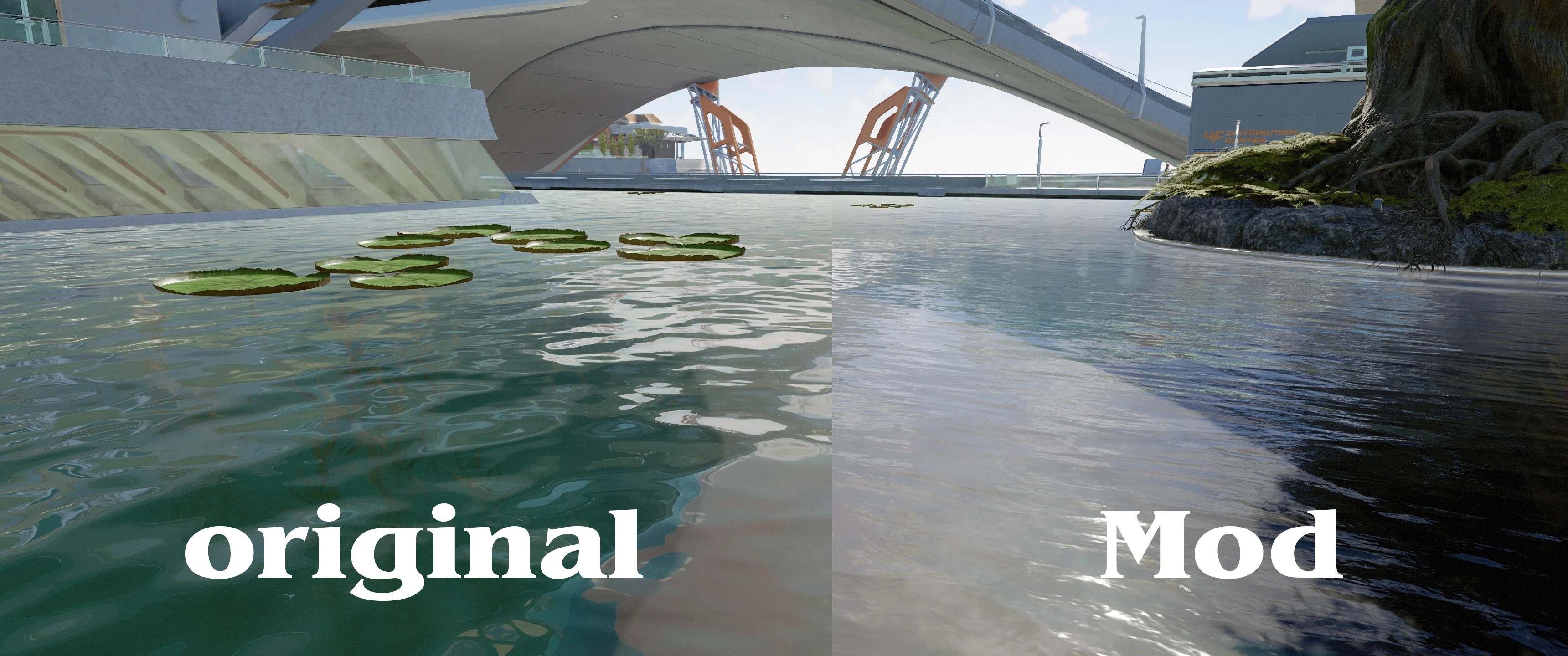
What does this do? This mod replaces thousands of textures (water, plants, surfaces and more) in Starfield and sharpens them to 2K to 8K resolution. Above you can see a nice example provided by modder luxor8071.
What does this do? This mod replaces thousands of textures (water, plants, surfaces and more) in Starfield and sharpens them up to 2K to 8K resolution. Above you can see a nice example provided by modder luxor8071.
High Definition Texture Pack for Starfield (HDTP)
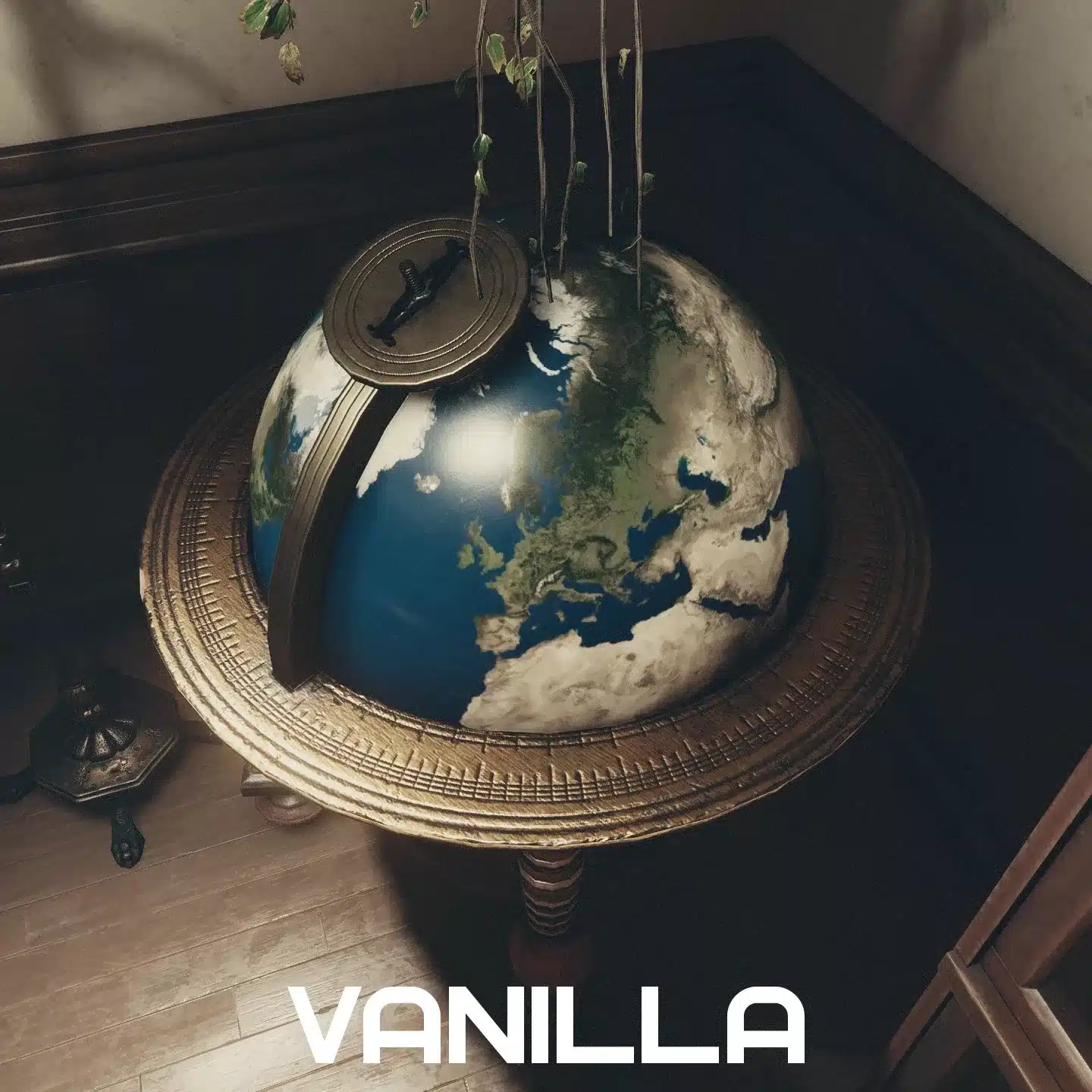
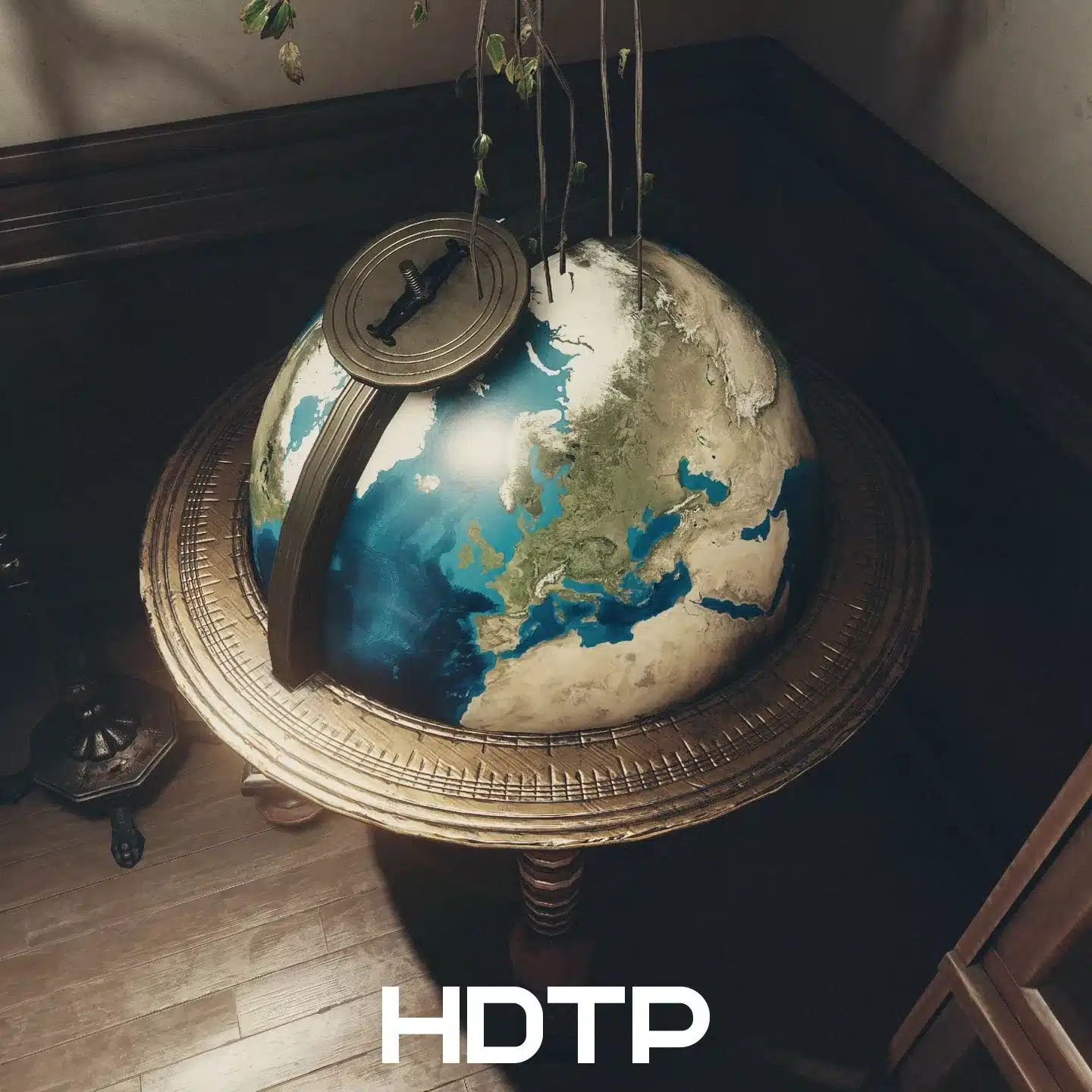
What does the do? Also a mod that sharpens textures using AI technology and real spaceflight data. Note that it is not compatible with the HD Overhaul, so you have to choose one.
SavrenX HD NPC Optimised
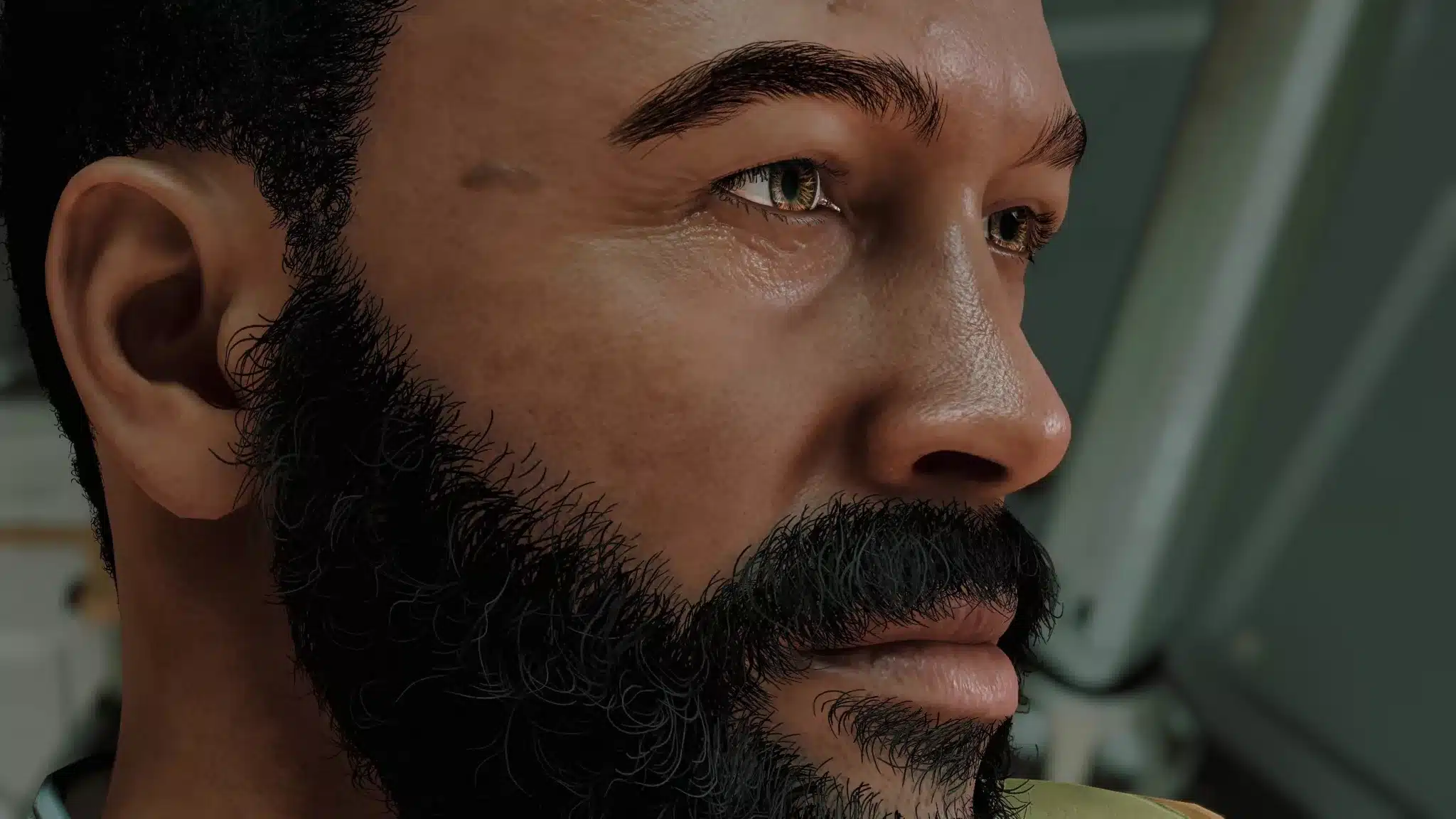
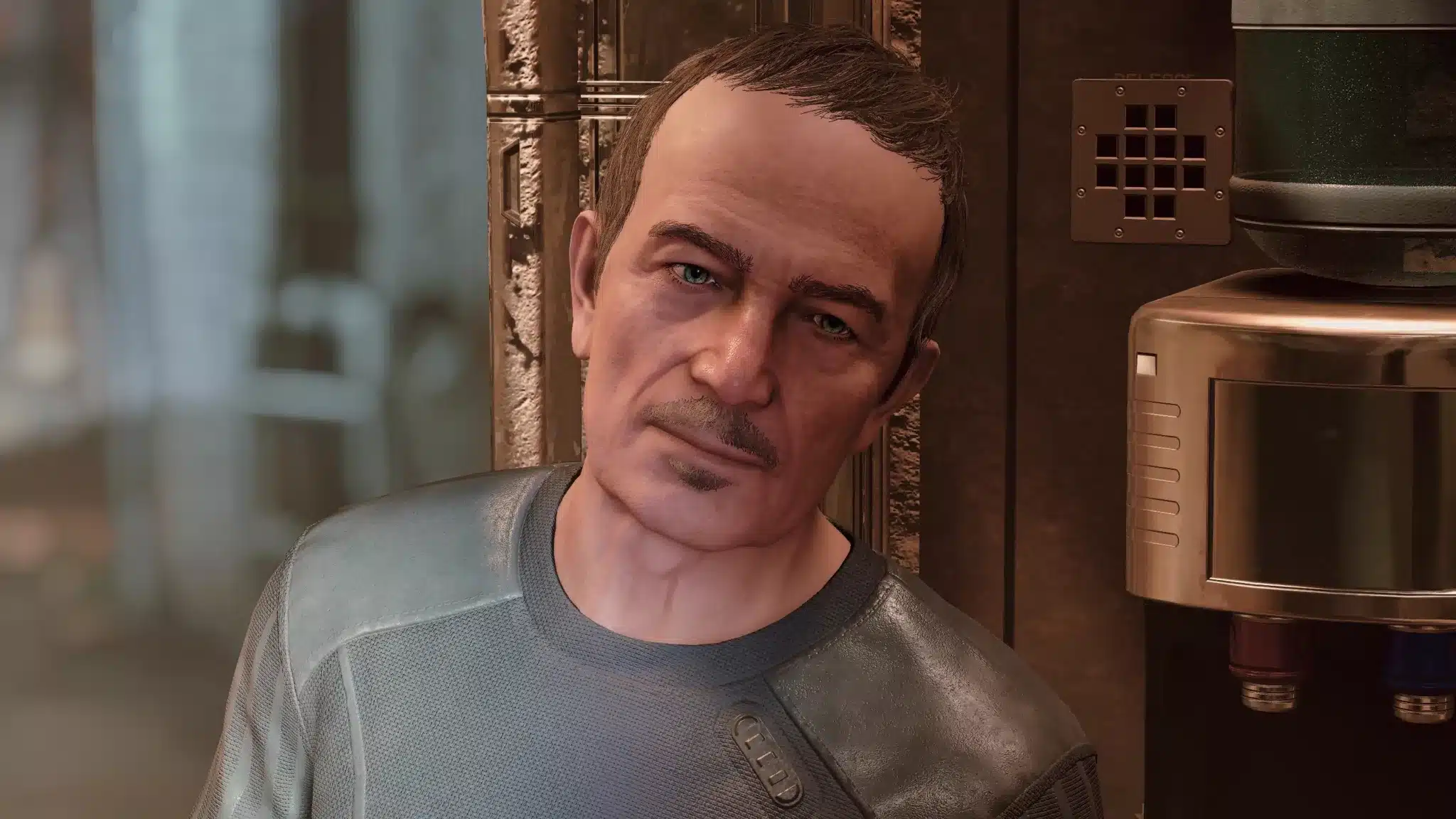
What’s the point? With this mod you make the somewhat waxy NPC faces much more vivid and detailed. This mod is compatible with the HD Overhaul
Effect Textures Enhanced (EXE)
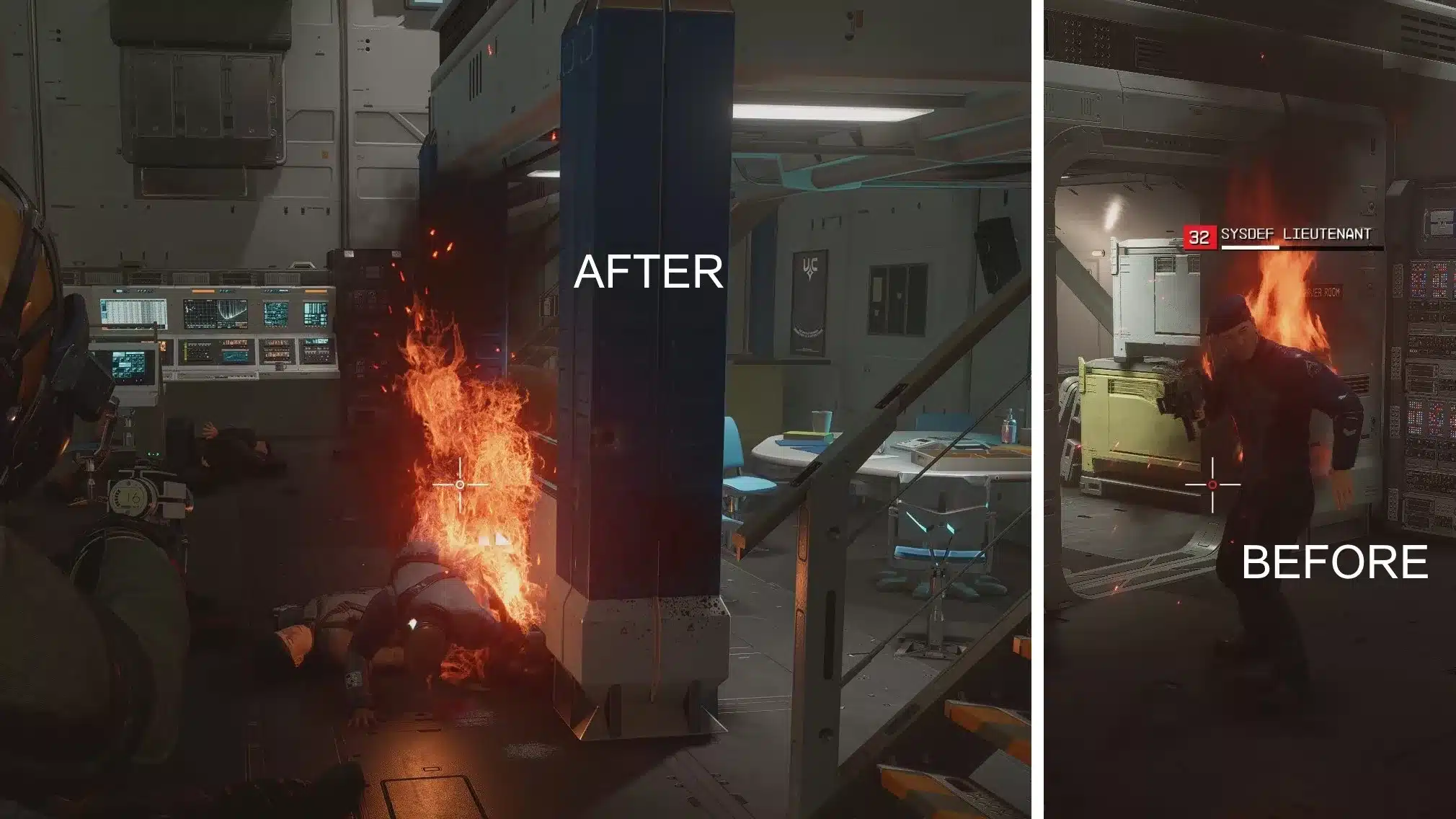
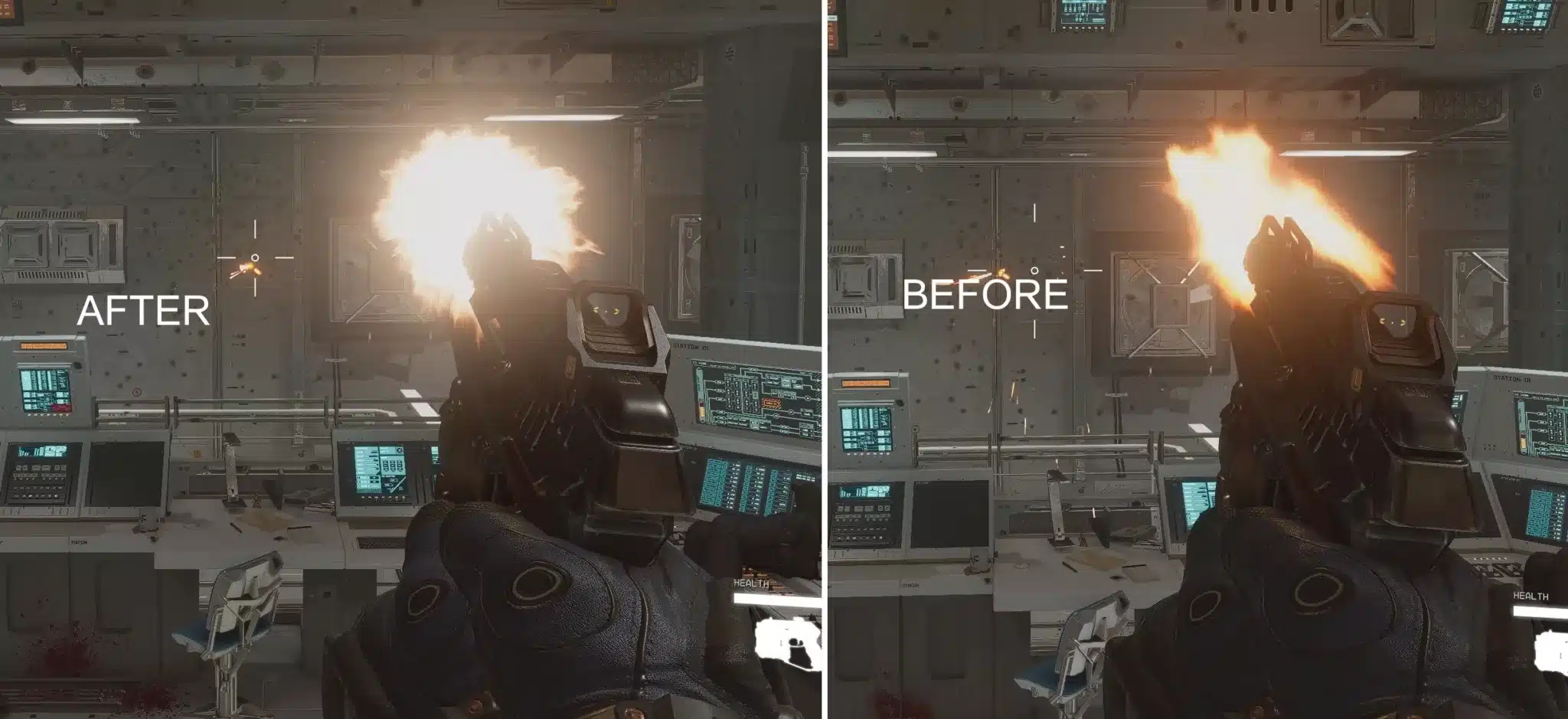
What does it do? This mod embellishes effects like muzzle flashes, explosions, flames, fog, smoke, water splashes and so on. It is not quite finished yet, but you can already use it for your game. It should be combinable with all mods that do not explicitly change effects in the game.
How do I install mods? All mods listed here can be found at Nexusmods.com, where you can download them with a simple click. We recommend using a mod manager like (Vortex) (which you can also download there). It will then take care of the correct installation and order of your mods for you.
Have you already started modding Starfield? Do you focus more on graphical improvements or are you more interested in other content – like new weapons, spaceships, quests or something else? Let us know in the comments below what your personal favourite fan content is so far.


