





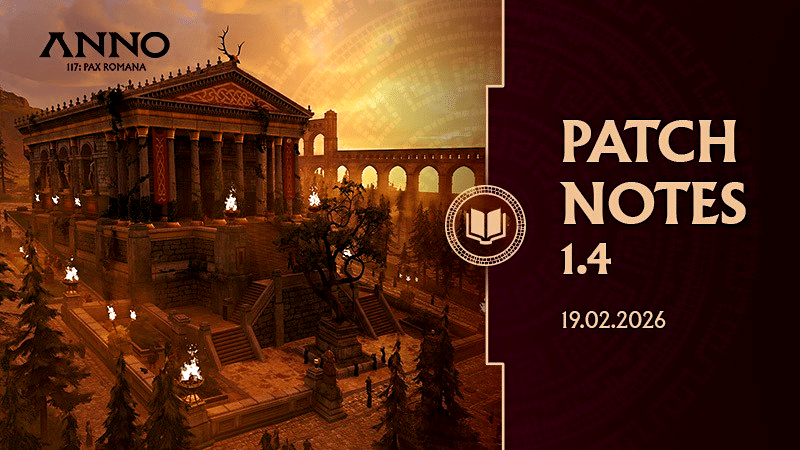
A new update is in the starting blocks, and we’ll show you the highlights of the extensive patch notes.
If you’ve neglected your Roman island empire in Anno 117 a little in recent weeks nbsp;a little, today is the perfect day to return! On February 19, 2026 , the building game will not only receive its next major update with Patch 1.4, but will also release its first cosmetic DLC.
In this news article, we’ll take a closer look at what you can expect in both cases.
What’s included in Update 1.4
First, let’s talk about the update. It is, of course, free for everyone and is scheduled to be released across all platforms at 11 a.m.. However, the size of the update varies greatly depending on depending on where you play Anno 117. There is no preload available:
- Steam: 5.7 GB
- Ubisoft Connect: 40.65 GB
- PS5: 5.65 GB
- Xbox Series: 77.06 GB
So there’s quite a lot in there – even if the large download size on some platforms is probably due to technical reasons. But Ubisoft’s patch does indeed deliver some fixes for the building game that fans have been hoping for for a long time.
These are the highlights
- The silo bug: This annoying bug was at the top of many fans’ hit list. Now the team has finally ensured that the bonus from silos is retained even after a restart.
- Range displays: Another annoying bug recently caused the ranges of businesses on the road network to no longer be displayed. This should now also be fixed.
- Fewer desyncs: The developers have been working on this issue since release. Desynchronization in multiplayer should now occur even less frequently.
- Ship tracking: If you jump to a ship with the camera, you can now sit back and watch as the camera automatically follows the ship.
- More expensive islands: In the future, players who settle on a huge island in the game will have to spend more money than they would for a large island. Previously, both had the same price point. However, there are also a few islands that will become cheaper because they were assigned to the wrong size category.
- Trade goods: The trade menu will finally display more than three goods being transported on a route! Thank goodness.
However, it seems that the patch also introduces some new issues, which the developers are already aware of. For example, there are apparently problems with ray tracing on consoles, which is why the option will be disabled until the next patch.
The entire, long list of complete patch notes can be found on the next page.
What the first small DLC delivers
Update 1.4 also brings support for the first small DLC. This is a cosmetic pack that adds purely visual enhancements to the game. The DLC is called Masterful Mosaics Pack and costs 7 euros.
Unlike the large DLCs for Anno 117, the Masterful Mosaics Pack is not included in the Season Pass!
It gives you exclusively cosmetic ornaments, mainly mosaics. These are decorative floor tiles that you can arrange as you like. There are also a few additional objects, such as a stylish garden wall and skins for various buildings, including the bathhouse.
Complete Patch Notes
Improvements
Table of Contents
Gameplay
- The camera now follows units and ships ships when the “Jump to” function is used from the unit’s menu with the mouse when hovering over the unit with the gamepad.
- Players can now scroll through troops using the Tab key when a unit is selected. unit is selected
- Blockers have been added to harbor buildings to prevent ships clipping into them
- The audio effects of production buildings have been improved
- The “Jump to” function for firefighting (etc.) units has been improved: When using a gamepad, the camera now follows the unit when the “Jump to” function is used
- The behavior of these units has been improved so that they are better distributed throughout the city.
- Cheering feedback units have been added to the tavern and singer’s room at night
- Merchants should now use different “routes” instead of all walking clockwise
- Different settings have been added for the behavior of the mini-map for mouse & keyboard and gamepad
- Automatic rotation is disabled by default for mouse & keyboard and enabled for gamepads (can be changed in the options).
Balancing
- The cost of colonizing islands has been rebalanced; XL islands now cost more.
- Previously, they had the same settlement costs as L islands.
- The settlement costs and property taxes for some Latium islands that were incorrectly categorized have been rebalanced: categorized, have been rebalanced:
- roman_island_medium_01.a7m – incorrectly labeled as “large”
- roman_island_medium_08.a7m – incorrectly labeled as “large”
- roman_island_small_05.a7m – incorrectly labeled as medium
- Players who have already settled one of these islands now pay less property tax for it. Players who have already settled one of these islands and sell it will receive less money back than they originally paid.
- The maximum selection size of all “tools” nbsp; has been set to 80×80 fields for performance reasons.
UI
- Animation added to the buff arrows above buildings.
- Trade routes now show more than 3 trade goods in the overview menu.
- Players can now hold LB/L1 or RB/R1 to quickly scroll through the categories in the tree menu.
- The attack indicator has been improved by using colorblind-friendly colors.
- The quest tracker has been improved: when the list is open, the number of quests is no longer displayed, but only when it is closed
- The icons for the different quest categories in the quest book have been updated.
- 2D icons for the deities in the city status info tip have been replaced with 3D icons.
- The main menu has been visually enhanced.
- The options menu has been visually enhanced.
- The pop-up menus have been visually enhanced.
- The trade route menus have been visually enhanced.
- The awards menu has been visually enhanced.
- The statistics menu has been visually enhanced.
- Banners and notifications have been visually enhanced.
- The object menus have been visually enhanced.
Bug Fixes
Gameplay
- Fixed various crashes on PC and consoles
- Fixed an issue where the bonus from silos was no longer applied after restarting the game
- Improved performance when building roads during an invasion
- Fixed an issue where the field calculation for the “Beehive” production building was incorrect when used with lavender fields.
- Fixed an issue where the target building/ship was not displayed when the player switched provinces via a notification while the game was paused.
- Rivals nbsp;now build more efficient roads
- Fixed an Fixed an issue where players would receive a “Game Over” screen when they arrived in Albion in the campaign. nbsp;in Albion
- This happened if the “Resettlement” was disabled by the player in the game settings.
- A problem was fixed
where the “Camping Skill” effect of Mercury-Lugus did not work.
- An issue has been fixed where only the host received items unlocked via the Hall of Fame, but other multiplayer participants did not.
- The charcoal buff effect from Potita Calavis Flaminia, Vulcanus’ fortune teller (which only affects residential buildings), has been removed.
- Fixed an issue where rival NPCs were colonizing too many islands and not using them
- Fixed an issue where auto-repair continued to work on ruins even when an incident was active nearby
- Fixed an exploit that allowed players to copy depots and place more depots than they had building permits
- Fixed an issue where the Legendary Specialist buff could be applied twice, once with boost and once without boost
- Fixed an issue where, in some cases, if the player had multiple vassalized islands, selecting a trading post would trigger the takeover screen for another island
- Fixed an issue where placing marble roads over bridges and/or harbor roads did not convert them to the marble variant.
- Fixed an issue where the player could not move the “trimmed hedge” ornament from their own island to an NPC island using the move tool.
- A nbsp;problem was fixed where after loading a previous game session from another running session, an incorrect automatic save was created.
- Fixed an issue where units could not be moved via drag and drop.
dragged and dropped nbsp;into the trading post and then turned into “empty” or duplicate items (non-functional items) - Fixed an issue where there was no cooldown between military waves sent by the Emperor when a rebellion broke out in Albion
- Fixed an issue where sometimes it was not possible to downgrade/upgrade roads.
- The demolition tool now deletes everything that is selected when the tool is started on an empty grid.
- Fixed pathfinding issues when units on bridges start combat.
- Players should now be able to configure their ship modules even if they do not have the necessary resources to build them.
- Fixed an issue where previewing a song in the Hall of Fame with the gamepad would not stop when pressing “Preview” again.
- Fixed an issue where taking over a rival island sometimes resulted in strange road sections. This fix only works for new saves.
- Fixed an issue where players using the WASD/arrow keys could move very far away from the research nodes.
- Fixed an issue where
Aqueducts would sometimes issue a warning in a valid situation that water cannot flow uphill. - Fixed an issue where players could not pause the game nbsp;when the campaign banners were displayed.
- Fixed an issue where pressing the Shift key in polygon build mode would partially obscure other polygons (such as lavender fields)
- Fixed an issue where rivals would award incorrect amounts of money.
- Fixed an issue where the player could not upgrade their pig farms with the upgrade tool from planning mode if they had placed them without having enough resources.
- Fixed a rare issue with aqueducts sometimes blocking building mode.
UI/UX
- Fixed an issue where Officia displayed a warning about reaching the building limit even though no officium had been built yet.
- Fixed an issue where, under certain conditions, the road range indicators would disappear.
- Fixed an issue where the road was not marked in red when players marked houses and roads with the demolition tool while holding down the Shift key.
- Fixed an issue where the aqueduct column remained highlighted after being marked with the demolition tool but not destroyed.
- Fixed an issue where the building grid was not always visible when something was placed on floor tile ornaments.
- Changed how attributes are displayed when a new city status is reached.
- Added Wolf Vexillum to the Misc tab for ornaments.
- Fixed an issue where the notification with the quest rewards was not displayed when the player selected a
selected a building belonging to the NPC who rewarded the player.
- Fixed an issue fixed where the loading screen opened twice when a player joined a running game.
- The ship in the ship configurator should now also use the player’s color
- A warning and corresponding text have been added if the player loses their Consul/Proconsul status as part of a diplomatic action. action.
- Diplomatic reasons should now be sorted by their influence value.
- Fixed an issue where the empty rival slot in the diplomacy menu would disappear after sending an invitation to another player and reopening the diplomacy menu.
- The color in the negotiation screen has been changed so that so that available actions are always displayed in green and unaccepted actions are displayed in red.
- Fixed an issue fixed where the title “Appoint as Specialist” was missing from the infotip in the Diplomacy menu.
- Fixed an issue where the construction costs for copying buildings and fields were not displayed if the player did not have enough resources.
- Fixed an issue where the unlock conditions for ornaments were missing when using a gamepad.
- Fixed an issue where the tooltip would sometimes point in the wrong direction
- Fixed an issue where the DLSS upscaler would appear in the options menu even though it was unavailable
- Added a missing tooltip for the locked “Claim” button in the Awards menu
- Fixed an issue where the Hall of Fame continued to be displayed even though the player had disabled access to the Hall of Fame during game setup
- Fixed an issue where the Ruby Mosaic was not displayed in the “Hall of Fame” category in the ‘Ornaments’ menu.
- Fixed an issue where the “Quit” button appeared twice in the Hall of Fame when accessed from the main menu.
- Fixed an issue where some settings in the Options menu did not change language when the player changed the text language.
- Fixed an issue where the online connection banner was cut off when using the TV scaling options.
- Fixed an issue where the temporary save file of the session was displayed in the list of manual save states
- Fixed an issue where the demand icons moved when the attribute value in the attribute info tip in the top menu changed due to the decimal places.
- A problem was fixed where the pop-up window for releasing the requirement was missing after
clicking “Accept” on the gamepad to close a previous pop-up window for unlocking the request - The unnecessary prompt “Back” in the notification menu when using a gamepad has been removed.
- Fixed an issue where the player could create incomplete trade routes when pressing the Y/Triangle button on the gamepad while creating a trade route.
- Fixed an issue where the top part of the “Your Trade Route” menu was highlighted when the player performed “Rearrange Route Stops” with a gamepad and had to scroll for it.
- Fixed an issue where the icons for goods offered remained displayed on province and route maps after a trade route had been set up using the gamepad.
- Trade routes now support ships with 10 cargo slots.
- Fixed an issue with displaying trade route options when many trade routes were created
- Fixed an issue where the trade route would open when clicking on it while editing the route name
- Fixed an issue where the arrows in the visualization of a trade route could flicker.
- Fixed some scaling issues in the “Active Trade” menu.
- Fixed an issue where the info tip for moving was still visible even when it was disabled in the game settings.
- Fixed an issue where the player banner in the background of the main menu always remained the same
- Fixed a navigation issue with the gamepad in the research menu
- Added the “Add” and ‘Remove’ prompts have been added to the “Active Trade” menu when using a gamepad.
- Fixed an issue where hardcoded text was briefly visible when switching from “Aqueduct Source” to “Aqueduct” using the gamepad.
- Fixed an issue where the build mode window would sometimes remain open when the player placed buildings with limited building permits using a gamepad.
- Fixed an issue where code in the item description for the active
Fixed an issue where code was displayed in the item description for active trading when the player’s camera was far away from the merchant. player’s camera was far away from the vendor. - Fixed an issue where the “Move” icon would disappear when moving a building with a gamepad. gamepad.
- Fixed an issue where some building names did not change to the correct language language when the player changed languages.
- Fixed an issue where the player could not pin the fleet tooltip when in the world map view.
- Minor visual improvement to the icon in the notification settings
- Fixed an issue where the filter options in the province map were disabled after saving and restarting the game
- Added a sorting option when using the statistics page with a gamepad
- Fixed an issue where the info tip for Swampland was missing in the Mud Dryer menu
- Fixed an issue where Athr’s portrait was missing when Athr’s Cheerful Knights were selected during Part 2 of the campaign
- Fixed an issue where the old quest star icon for the emaciated survivors was displayed after the ruins of the “abandoned market” were removed in the campaign.
- Fixed an issue where the delivery quest marker would appear over any sanctuary on the player’s island when they had multiple sanctuaries for the quest
“Burning Fever”
- Fixed an issue where an icon was missing in the quest entry in “The Lost Cohort”
- Fixed an issue where the notification for the quest “Weapons from the Stars” displayed the wrong notification for the quest “Weapons from the Stars” displayed the incorrect reward.
- Fixed an issue where the Equites portrait was incorrectly displayed instead of the Mercator portrait in the quest “The Missing Shipment.”
- Fixed an issue where an empty notification bubble would appear when Julia returns money in the campaign.
- Fixed an issue in the quest log where the objective “Prepare for the Worst” in the campaign quest “Imperial Visit” was split.
- Fixed an issue where the list of active effects remained open when switching to other production buildings.
- Fixed an issue where gates were missing active effects when connected to a wall.
- Fixed an issue where Latium was focused by default on the religion screen when opening the menu in Albion.
- Fixed an issue where two islands could be highlighted in the religion menu.
- Fixed an issue where the name of the current Amphitheater event was not always translated into the corresponding language language when the player changed languages while a game was running in the amphitheater.
- The
order of buildings displayed on a river square has been corrected to reflect their unlock times. - Fixed an issue where the dropdown menus in the options menu did not close automatically nbsp;when the player navigated away from it with the gamepad.
- Fixed an issue where the default UI scaling on consoles was set to “Medium (Monitor)” instead of “Medium (TV)”
- Added a toggleable info button for effects in the stats menu
- Fixed an issue where the “Jump To” button would become unresponsive after confirming unsaved changes in the trade route menu using the gamepad
- Fixed an issue where the production building appeared to have 0 workers but still functioned
- We have now added decimal places to the labor tooltips, as the production building would still function with 0.4 workers.
- Fixed an issue where the player would not be taken directly to the correct research in the research menu when using the “Jump to” button at a higher scale (e.g., Medium (TV)), the player would not go directly to the correct research in the research menu.
- The menu for units in the field camp has been changed to better reflect the possible actions of a unit in the camp.
- Fixed an issue where players could change their profile name after the game had started
- Fixed an issue where an extra lock icon was displayed in the “Shipyard” menu
- The missing fertility icon should now disappear when a technology is researched that makes fertility available everywhere
- Updated the screenshot of the latrine in the research menu to match its appearance in-game
- Fixed an issue where the banner color for the co-op player was not grayed out in the multiplayer lobby.
- Fixed a flickering issue in the decision screen for festivals.
- Visual issues in the “Save/Load” menu have been fixed
- Fixed an issue where the tutorial bubble did not disappear after building the required number of residential buildings
- Fixed an issue where the “Change Province” menu for ships did not close after selecting a destination.
- An issue has been fixed where the wrong background image was used for some public buildings, such as the library.
- Fixed an issue with the first-time user experience (FTUX) where the Y key action was used twice. The key has now been changed to X to skip the FTUX
- The player’s current reputation has been removed from the info tip for governor decisions, as the reputation is displayed at the top of the menu next to the money overview
- Fixed an issue where the focus marker was missing when using the gamepad to focus on a reward in a notification notification
- Fixed an issue where the the villa was added to the “Specialists” tab when adding specialists to the villa
- Players can now also switch to other categories , such as the Anno account.
- The color of opponents is now updated when a player changes their player color during a game.
- Outdated icon in the “Effects” tab in the statistics menu has been replaced.
- Fixed an issue where the decimal point was missing from the monetary reward for completing contracts.
- Fixed an issue where tutorial speech bubbles could be displayed below the tree menu instead of above it.
- Removed planning mode from the drainage channel menu, as these cannot be placed in planning mode
- Boosted item effects should now be displayed in the “Active Effects” menu.
- Fixed an issue where the ship type button lost its color when color blind mode was enabled.
- Fixed a blank error message that appeared when attempting to place walls in front of the enemy when they were attacking
- Fixed an issue where labor in residential buildings was not displayed consistently with decimal and integer values.
- Talking Heads scenes now fully support all subtitle properties.
- Fixed an issue where the gamepad prompt list could flicker.
Art/Visuals
- Fixed an issue where carriages would sometimes “fall through” bridges when crossing them.
- Feedback units no longer fall through gaps on swamp roads.
- Fixed an issue where Feedback units could not run on diagonal polygon ornaments
- Fixed an fixed an issue where some production buildings on the coast had too many or too few feedback units. few feedback units.
- Fixed an issue where feedback units from the temple could spawn and despawn before going down the temple stairs.
- Fixed an issue where Feedback units would cluster together like the monster from Inside after the player scared them in first-person mode
- Fixed an issue where some Feedback units were not present during the night—now there’s no more sleep, only work
- Fixed an issue where Feedback Units would run through bridges built over drainage channels
- Fixed an issue where ox carts appeared to glide across roads
- Fixed issues with Feedback Units spawning in swamps
- Fixed an issue where ox carts would clip into each other.
- Fixed an issue where land units would float above the ground when running over ruins.
- Fixed an issue where clay pit assets were still visible and undamaged in the water when the clay pit itself was in ruins
- Fixed an issue with level of detail (LoD) on low settings for noble residences
- Disease effects should now fade less quickly than before.
- Improved visibility of the villa when attacking an island.
- Fixed an issue where the Mackerel Hut generated many feedback units.
- Fixed an issue where trees could appear brown with TAA and green with MSAA
- Fixed an issue where gate doors would constantly open and close when walls were placed nearby
- Fixed an issue where the water flow direction was missing on corner segments or tower ends of the aqueduct
- Changed the color of the area of influence in planning mode to match the color of the planning mode for buildings
- Fixed a visual issue with the quay in planning mode
- Banners now push each other away to avoid overlap, and various other bugs with unit banners have been fixed
- The color saturation of the Stone Ballista Tower has been changed to match the other towers
- Fixed an issue where in some cases no water was visible in the aqueduct
Audio
- Fixed an issue where several sound effects for the research menu were missing when the player was using a gamepad. when the player was using a gamepad.
- Various issues with sound effects for floor tile ornaments have been fixed.
- An issue has been fixed where no sound effect was played when quicksave was used with a gamepad
- A sound effect has been added when the
“Switch Controller Scheme” button in the multiplayer pause menu
- Some missing sound effects in the Religion menu have been fixed.
- Fixed an issue where loud wave sounds could be heard during the scene after the campaign intro movie in some cases.
- Fixed an issue where notification sound effects could be drowned out by unit calls
- Fixed an issue where other players could hear the copy sound effect when a player used the copy function
- Fixed an issue where audio effects that add to the atmosphere were not played when certain menus remained open for a long time
Multiplayer
- Fixed various causes of desyncs.
- Fixed an issue in multiplayer mode where nbsp;a ping did not disappear when a player sent a ping and then left the game
- Fixed an fixed an issue where non-team leaders in co-op games could change the name of the governor while the game was running.
Controls
- An issue with high mouse input delay on PlayStation 5 has been fixed. 5 has been fixed.
- An issue has been fixed where the players could get a black screen when using multiple key combinations in quick succession
- An issue
has been fixed where the camera would not follow a ship if it contained units while a gamepad was being used. - Fixed an issue has been fixed where players using a gamepad in the statistics menu could not select islands multiple times or cancel the selection nbsp;
- Issues with using the beautification tool with the gamepad have been fixed.
- Fixed an issue where players could not automatically build roads around recruitment buildings such as the barracks
- Fixed an issue where players could not automatically surround buildings with walls
- Fixed an issue where zooming did not work when focusing the object menu with a gamepad
Quests & Achievements
- Fixed issues with escort quests
- Fixed an issue where the dialogue with Ben Baalion was not triggered during the first plague outbreak
- Fixed an issue where Caeso’s comeback dialogue was not triggered after he was reintroduced to the game following the campaign
- Fixed an issue where buffs from the amphitheater governor decisions affected NPC islands and not the player’s island.
- Fixed an issue where the “Full House” achievement was awarded when the player activated and removed the same specialist 9 times instead of 9 different specialists.
- Fixed an issue where, in rare cases, the achievement
“Pecunia Non Olet” was unlocked when the player loaded a save game with an income balance of less than 250 denarii.
- Fixed an issue where the progress bar for the “Morituri Te Salutant” achievement was missing from the “Awards” menu.
- Fixed an issue where the progress for the “Vestis Civitanten Facit” award was reset after loading a saved game.
- Some of the tutorial bubbles/highlights are disabled if their quest has not been activated.
- Fixed an problem has been fixed where the governor’s decision “Your stance on chicken thieves” awarded the same reward for both options the same reward
- Quest “Burning Fever”: Is now correctly canceled if the player destroys the shrine during the delivery process.
- Quest “Heavenly Colors”: Fixed an issue where the player was rewarded by Zara with a negative diplomatic relationship
- Quest “The Cover-Up”: Fixed an issue where the quest was displayed above every library on the player’s island if they owned multiple libraries.
- Quest “Dominus Mirabilium”: Fixed an issue where the quest could be started on an island without a tavern and with quest objectives on other islands owned by the player.
- Quest “Lost Freedom”: The type of enemy ship has been changed to a trireme to reduce the difficulty of the quest.
- Quest “The Happiness of this (H)erd”:
Fixed an issue where the quest would not complete if the player had a ship near Manx Island and then sent the sick horse away.
- Quest “Fortify the Limes”: Fixed an issue where the quest would remain active without a target.
Text & Localization
- Fixed various localization issues with challenges and achievements
- Added text to the tutorial stating that pirates do not break contracts
- A spelling error in the “Ben Baalions Crisis” Governor’s Decision in the campaign has been fixed
- A problem has been fixed where Russian text was sometimes displayed outside the designated text field in the campaign campaign has been fixed
- A problem has been fixed where Russian text was sometimes displayed outside the designated text field in the campaign campaign has been fixed
- A problem has been fixed where Russian text was sometimes  nbsp;text sometimes displayed outside the intended text box
- Fixed various localization issues in Russian
- The missing Simplified Chinese character 纾 has been added to the difficulty settings in Endless Mode
- Fixed an issue in the loading screen tooltips where the words “twice as many ” were missing.
- Fixed an issue where the tooltip indicating how many buildings would be affected was off by 1.


